
AssistiveWare Learning Service

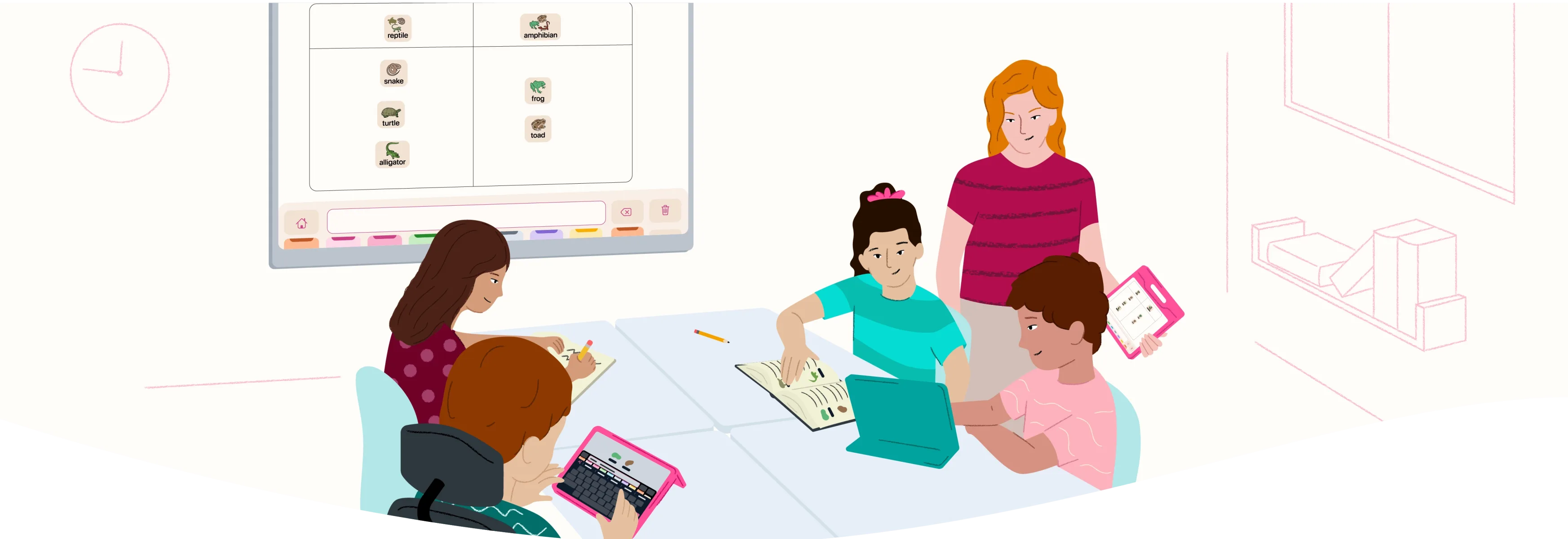
AssistiveWare Learning Service is designed to help make instruction accessible for every student. It’s especially valuable for educators in special education and inclusive classrooms who differentiate instruction for a wide range of learning needs.

AssistiveWare Learning Service provides teachers with science of learning-informed tools to support academics, literacy, and language for a diverse range of learners.

What is included in AssistiveWare Learning Service?

The service includes two apps: Micalo and Estello. 

Micalo helps educators and students explore ideas visually, making it easier to explain and understand concepts in any subject. Estello focuses on building early vocabulary with clear, structured lessons.

Together, Micalo and Estello create a unified teaching and learning system designed to support users across a range of different needs and environments.

Micalo icon is on the left. It is a pink square with a white line illustration in the middle that looks like an M and a student and teacher. Estello is on the right it a teal square with an white line illustration that looks like an E as well as a teacher holding an iPad or book

Two apps designed for teaching and learning

Micalo

Micalo is an interactive teaching app that helps educators and students explore language and concepts from any subject area. It is easy to use and highly flexible, allowing classrooms to work with shared visuals dynamically. 

It includes a preloaded set of graphics in an organized vocabulary that spans the curriculum. This gives teachers immediate access to visuals they can use during instruction.

Micalo supports working memory and executive functioning by connecting visuals with text and spoken language. Creating and displaying shared visuals reinforces memory and recall of key concepts and new terms.

A vertical iPad showing Thinking Space in Micalo with multiple symbols showing a physics lesson

What you can do with Micalo

A horizontal iPad showing Thinking Space in Micalo showing multiple symbols of a lesson explaning the lifecycle of a butterfly
Visualize and explain ideas clearly

Thinking Space™ in Micalo is the fastest way for educators to teach with visuals. Micalo’s visuals are consistent and carefully organized. They can be used to explain concepts, show comparisons, or organize information clearly on any digital display.

A horizontal iPad showing Smart Player in Micalo showing multiple letters showing a phonics lesson
Hear words and sentences

Smart Player allows educators and students to hear the words and sentences they create. They can put letters or words into Smart Player, and it will read them out loud. This supports phonics, sentence building, and early grammar lessons.

A horizontal iPad showing Writing Pad in Micalo being used in for a writing assignment
Make writing accessible

Educators and students can write using letter tiles, a keyboard, or add words from the vocabulary grid. They can work with visuals in Thinking Space and then generate text in Writing Pad. This helps teach phonics, spelling, grammar, and overall writing skills.

Estello

Estello supports explicit symbol and basic vocabulary instruction through clear, structured lessons. Each ready-to-teach lesson has been carefully designed to help reduce the time educators need to plan, while ensuring consistent, high-quality teaching through a well-planned instructional path.

A horizontal iPad showing the teacher view of Estello of a lesson for the word and symbol like

What you can do with Estello

A horizontal iPad showing the teacher view of Estello of a lesson for the word and symbol want
Teach foundational vocabulary easily

Each daily lesson provides educators with a detailed script on their iPads and a simple view for students on the classroom display. The script guides educators to introduce symbols and vocabulary in isolation, then compare or contrast, and use them in context.

A horizontal iPad showing the teacher view of Estello of a lesson for word and symbol like showing modeling on AAC
Daily lesson flow

Each lesson uses symbols, modeled speech, and discussion prompts to help students associate symbols with words and ideas. This supports all learners, including early communicators and AAC users. Attention and engagement are supported with topic choices.

A horizontal iPad showing the teacher view of Estello of the All Lessons screen
Build student understanding

Lessons follow a structured sequence that gets more complex over time. Words are reviewed in later lessons and used in new contexts, helping students remember them. This distributed practice helps students build recognition and deepen their understanding.

Shared foundations across AssistiveWare Learning Service

Micalo and Estello complement each other by design. Because they share the same core building blocks, students can apply what they learn throughout lessons, subject areas, classrooms, and grade levels.

Smiley face
Visuals

Consistent visuals support learning and retention across lessons, units, and topics. With AssistiveWare Learning Service, all educators in a school can reinforce learning and recall across all classrooms and grade levels in a student’s school career.

Speech buddle with capital and lower case a
Vocabulary

Carefully organized vocabulary ensures educators can quickly find, arrange, and display consistent visuals. This unifies visual supports across different subject areas, reducing cognitive load and enhancing retention.

Icon of a speaker with sound
Voice output

Both apps include voice output. Students benefit from voice output that is clearly articulated, specifically those who are learning English or struggle with phonological awareness.

Who AssistiveWare Learning Service supports
Educators and school teams

AssistiveWare Learning Service provides educators and school teams with more structure and confidence to meet the diverse learning and communication needs of students. Quick visuals make planning easier, saving prep time so teachers can focus on teaching and connecting with students. Ready-to-use lessons transform “core word of the week” and other early language instruction with an explicit, structured approach. It is especially helpful for special education and inclusive classrooms where teachers balance literacy, communication, and different learning needs. 

School leaders and curriculum coordinators can count on it as a research-based tool to support staff and improve student outcomes.

Students

Students with significant support needs, especially those who are AAC users and early communicators, often require the most differentiation and personalized support. These students benefit the most from the accessibility fostered by the AssistiveWare Learning Service. Micalo maximizes their opportunities for learning and participation through consistent visual and voice output paired with innovative features such as Thinking Space, Smart Player, and Writing Pad. Estello’s high-intensity explicit instruction supports symbol recognition, message construction, and sentence building. AssistiveWare Learning Service combines literacy, communication, and executive functioning support into a single system.

School-based specialists

AssistiveWare Learning Service simplifies planning and intervention for specialist providers in areas such as speech-language and behavior support. It provides a universal language-support tool that builds consistency and cohesion across different tiers of intervention, from whole-class to individual therapy. The consistent visuals, shared vocabulary, and unique instructional features are ideal for small-group and one-on-one instruction. Ready-to-use lessons build capacity by equipping school-based assistants to deliver high-fidelity intervention. Clinicians are freed to focus on progress monitoring towards individual student goals.

Families

AssistiveWare Learning Service supports families who want easy-to-use tools to help their children with communication and learning. Its features and design make it simple for parents to support their children, even if they have no teaching or speech therapy experience.

10 Educators and school teams
11 Students
12 SLPS and allied professionals
13 Families

How AssistiveWare Learning Service supports AAC users and emergent communicators

 Micalo and Estello are built on AAC technology to support inclusive instruction for diverse learners. They reflect AssistiveWare’s mission to make AAC an effective and accepted means of communication.

Icon of hands in the shape of a heart
Normalize AAC

When everyone uses the same visuals and vocabulary, AAC becomes a regular part of the school day. Students who use AAC feel more included when they see adults and students using similar technology.

Icon of a light blub
Reduce barriers to understanding

Using the same visuals and vocabulary makes it easier for students to understand lessons. They can follow along and demonstrate what they know, whether they use symbols, speech, or other ways to communicate.

Icon of 4 identical squares
Build fluency through consistent shared vocabulary

Having the same visuals, vocabulary, and routines makes learning easier for AAC users and emergent communicators.

Integrated with Proloquo

Proloquo is AssistiveWare’s latest AAC app designed to meet the communication needs of nonspeaking people. It uses the same Crescendo Evolution™ vocabulary, symbols, and many of the same features as AssistiveWare Learning Service.

Since Micalo, Estello, and Proloquo use the same vocabulary and symbols, AAC learning is reinforced with every classroom lesson. Educators model AAC use and navigation as a natural part of instruction, rather than an additional task. As educators use the Learning Service, they might identify students who would benefit from using AAC. School licenses come with complimentary three-month Proloquo trials, making it easy to try AAC without additional steps.

Illustration of a family sitting on a couch together. There is a mother and father and two children. The father is holding an iPad and the child is touching it

Free AssistiveWare AAC Professional license

If you work with AAC as a:

  • Speech and Language Pathologist or Therapist, or SLPA
  • Occupational Therapist
  • Assistive Technology Specialist
  • AAC coach
  • Board Certified Behavior Analyst

If you’re a student in any of these disciplines, you can use Micalo and Estello for free. Find out if you are eligible and apply today!

A male professional holding an iPad and showing Thinking Space in Micalo

Find the plan that’s right for you

Micalo 4x Estello 4x

AssistiveWare Learning Service license

$
99.99
/yr
$99.99/yr
99.99
/yr
99.99/yr
AU$
139.99
/yr
AU$139.99/yr
£
89.99
/yr
£89.99/yr
CA$
119.99
/yr
CA$119.99/yr
Educator seats Each educator seat allows use on the devices of an educator and those in their classroom.
Up to 999 seats allowed. Need more? Contact support.
Free trial until school year ends. No card required!
  • Free trial for the school year
  • Access to both Micalo and Estello
Micalo 4x Estello 4x

AssistiveWare Learning Service Monthly

$
9.99
/mo
9.99
/mo
AU$
13.99
/mo
£
8.99
/mo
CA$
11.99
/mo
2-month free trial.
  • 2-month free trial
  • Access to both Micalo and Estello
Micalo 4x Estello 4x

AssistiveWare Learning Service Yearly

$
99.99
/yr
99.99
/yr
AU$
139.99
/yr
£
89.99
/yr
CA$
119.99
/yr
2-month free trial.
  • 2-month free trial
  • Access to both Micalo and Estello
Micalo 4x Estello 4x

AssistiveWare Learning Service license

$
99.99
/yr
99.99
/yr
AU$
139.99
/yr
£
89.99
/yr
CA$
119.99
/yr
2-month free trial. No card required!
  • 2-month free trial
  • Access to both Micalo and Estello
Micalo 4x Estello 4x

AssistiveWare Learning Service Monthly

$
9.99
/mo
9.99
/mo
AU$
13.99
/mo
£
8.99
/mo
CA$
11.99
/mo
2-month free trial.
  • 2-month free trial
  • Access to both Micalo and Estello
Micalo 4x Estello 4x

AssistiveWare Learning Service Yearly

$
99.99
/yr
99.99
/yr
AU$
139.99
/yr
£
89.99
/yr
CA$
119.99
/yr
2-month free trial.
  • 2-month free trial
  • Access to both Micalo and Estello